 Blog details

HTTP stands for "Hyper Text Transfer Protocol," and it's a type of network communication protocol. Development began in 1989 under Tim Berners-Lee, and it has been in use since 1990, making it possible to display web pages.
This protocol sets the rules for the exchange of data between the client (your computer) and the server. HTTP isn't something users actively operate; the address bar draws on it automatically. The browser sends a request to the server via HTTP, and when the server responds, the site's data reaches you — letting you open the website you wanted. Well-known, widely used browsers such as Google Chrome, Mozilla Firefox and Internet Explorer all rely on this protocol.
After Berners-Lee developed HTTP, the protocol was refined by the W3C (World Wide Web Consortium) and the IETF (Internet Engineering Task Force), evolving into the HTTP/2 and HTTP/3 versions.
HTTP/2 is built on the HTTP/1.1 foundation and is known as the second major version of the protocol. From its earliest days, HTTP enjoyed the advantage of being first in its field, which made it very widespread. So even though it had some flaws and needed to be faster, developing and rolling out an entirely new protocol would have been a bigger undertaking. Rather than build one from scratch, developers improved the existing foundation and released HTTP/2.
Introduced in 2014 and reviewed and approved in 2015, HTTP/2 later helped pave the way for HTTP/3. While HTTP/1.1 is still generally used, many well-known browsers now support HTTP/2 and HTTP/3.
As mentioned, when a client tries to reach content on a server using HTTP, it relies on certain status codes. These codes indicate whether the HTTP request was transferred successfully. Status codes are often invisible to the browser, but in some cases they appear on screen. The most common are 200, 301, 302, 308, 404, 410 and 500.
Status codes are grouped from 1 to 5. 1xx codes signal information, 2xx codes signal success, 3xx codes signal redirection, 4xx codes signal a client (browser) error, and 5xx codes signal a server error.
HTTP status codes are highly important for web and SEO developers. These codes let developers spot errors on a website and fix them. While the 1xx and 2xx informational and success codes matter little for SEO, the 4xx and 5xx client and server codes are quite significant. Unless the errors in these codes are corrected, a drop in SEO rankings and problems with how the site displays are likely. Since the focus of SEO work is search ranking, HTTP status codes matter a great deal here.
It's worth knowing the most common HTTP status codes. That way, whether you're a browser user or an SEO developer, you can more easily trace the source of the issues you run into and speed up the process of fixing them. Some of these common codes are 200, 301, 302, 308, 404, 410 and 500.
1xx status codes indicate that the server has received the request and processing will continue.
100 Continue – So far so good; carry on.
101 Switching Protocols – There's a message, such as an upgrade request, that switches things to a different protocol.
102 Processing – Something is happening, but it isn't done yet.
103 Early Hints – Lets you preload resources that can help improve Largest Contentful Paint, an important Core Web Vitals metric.
2xx status codes mean a client request was received, understood and accepted.
200 OK – The thing the browser asked for was successfully transferred to it from the server.
201 Created – Similar to 200, but the measure of success is that a new resource was created.
202 Accepted – The request was accepted for processing but isn't complete; it may not even have started yet.
203 Non-Authoritative Information – Something changed after it was sent to you from the server.
204 No Content – The request was sent, but there's no content in the body.
205 Reset Content – Resets the document to its original state, for example when clearing a form.
206 Partial Content – Only part of the content was sent.
207 Multi-Status – There are further response codes, which could be 2xx, 3xx, 4xx or 5xx.
208 Already Reported – The client tells the server that the same resource was mentioned earlier.
218 This Is Fine – Unofficial use by Apache.
226 IM Used – Lets the server send the client changes (deltas) to resources.
3xx status codes indicate the client still has to do something for the request to succeed.
300 Multiple Choices – There's more than one possible response, and you may need to pick one.
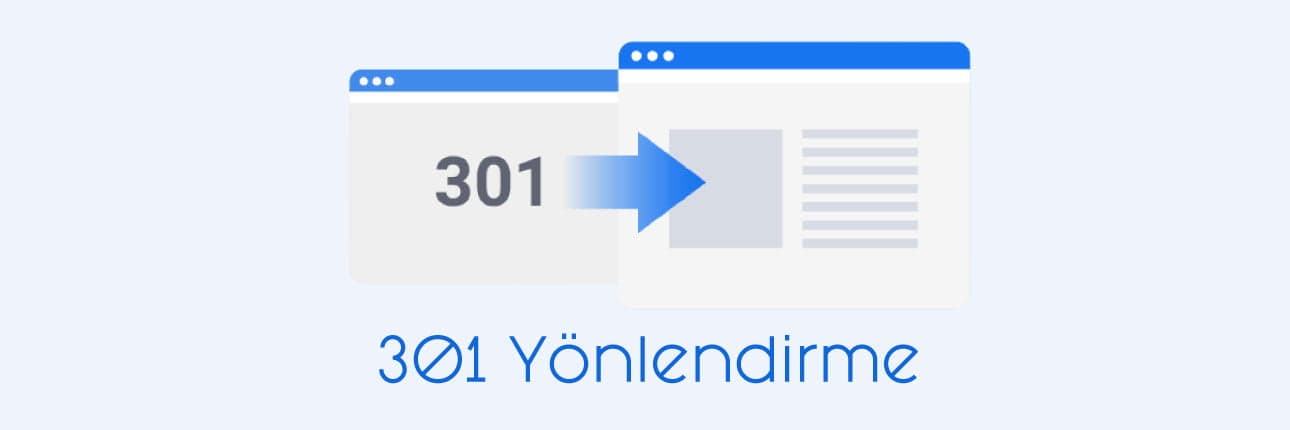
301 Moved Permanently – The old resource now redirects to the new one.
302 Found – The old resource is now temporarily redirected to the new one.
303 See Other – Another redirect, indicating the resource can be found somewhere else.
304 Not Modified – Indicates the page hasn't changed. Usually used for caching.
305 Use Proxy – The requested resource is only available if you use a proxy.
306 Switch Proxy – Your subsequent requests should use the specified proxy. This code is no longer used.
307 Temporary Redirect – Has the same functionality as a 302 redirect, except that you can't switch between POST and GET.
308 Permanent Redirect – Has the same functionality as a 301 redirect, except that you can't switch between POST and GET.
4xx status codes mean there's an error on the client side. The error is usually explained in the response.
400 Bad Request – Something is wrong with the client's request — probably malformed, invalid or too large — and now the server can't understand it.
401 Unauthorized – The client hasn't identified or authenticated itself when required.
402 Payment Required – Has no official use and is reserved for some future digital payment system. Some vendors use it for their own purposes; Shopify, for instance, uses it when a store hasn't paid its fees, and Stripe uses it for potentially fraudulent payments.
403 Forbidden – The client is known but doesn't have access rights.
404 Not Found – The requested resource couldn't be found.
405 Method Not Allowed – The request method used isn't supported — for example, a form that should use POST but uses GET instead.
406 Not Acceptable – The Accept header requested by the client can't be satisfied by the server.
407 Proxy Authentication Required – Authentication needs to happen through a proxy.
408 Request Timeout – The server timed out or decided to close the connection.
409 Conflict – The request conflicts with the server's state.
410 Gone – Similar to 404 in that the request isn't found, but it also says it won't be available again.
411 Length Required – The request doesn't include a content-length field where one is required.
412 Precondition Failed – The client set a condition on the request that the server doesn't meet.
413 Payload Too Large – The request is larger than the server allows.
414 URI Too Long – The requested URI is longer than the server allows.
415 Unsupported Media Type – The requested format isn't supported by the server.
416 Range Not Satisfiable – The client requests a portion of the file the server can't provide, such as a section beyond where the file actually ends.
417 Expectation Failed – The expectation stated in the "Expect" request header can't be met by the server.
418 I'm a Teapot – Happens when you try to brew coffee in a teapot. It started as an April Fools' joke in 1998 but was actually standardized. With everything being smart devices these days, it could conceivably be put to use.
419 Page Expired – Unofficial use by the Laravel framework.
420 Method Failure – Unofficial use by the Spring framework.
420 Enhance Your Calm – Unofficial use by Twitter.
421 Misdirected Request – The server a request was sent to can't respond to it.
422 Unprocessable Entity – The request contains semantic errors.
423 Locked – The requested resource is locked.
424 Failed Dependency – This error occurs because it depends on another request that also failed.
425 Too Early – The server doesn't want to process the request right now, since it's likely to be repeated later.
426 Upgrade Required – The server refuses the request until the client uses a newer protocol. What needs upgrading is specified in the "Upgrade" header.
428 Precondition Required – The server requires the request to be conditional.
429 Too Many Requests – The client is sending requests to the server too quickly, so this is a form of rate limiting to protect the server.
430 Request Header Fields Too Large – Unofficial use by Shopify.
431 Request Header Fields Too Large – The server won't process the request because the header fields are too large.
440 Login Timeout – Unofficial use by IIS.
444 No Response – Unofficial use by nginx.
449 Retry With – Unofficial use by IIS.
450 Blocked by Windows Parental Controls – Unofficial use by Microsoft.
451 Unavailable for Legal Reasons – Blocked for some kind of legal reason. You sometimes see this with country-level blocks for privacy or licensing — blocked news or videos, for example — and with DMCA takedowns. The code itself is a nod to the novel Fahrenheit 451.
451 Redirect – Unofficial use by IIS.
460 – Unofficial use by AWS Elastic Load Balancer.
463 – Unofficial use by AWS Elastic Load Balancer.
494 Request Header Too Large – Unofficial use by nginx.
495 SSL Certificate Error – Unofficial use by nginx.
496 SSL Certificate Required – Unofficial use by nginx.
497 HTTP Request Sent to HTTPS Port – Unofficial use by nginx.
498 Invalid Token – Unofficial use by Esri.
499 Client Closed Request – Unofficial use by nginx.
499 Token Required – Unofficial use by Esri.
5xx status codes mean there's an error on the server and the server knows it can't carry out the request. The response will include the reason for the error.
500 Internal Server Error – The server is running into some kind of problem and doesn't have a better or more specific error code.
501 Not Implemented – The request method isn't supported by the server.
502 Bad Gateway – The server was in the middle of a request and was acting as a relay, but it got a bad response from the server it was relaying to.
503 Service Unavailable – The server is overloaded or down for maintenance and can't fulfill the request right now. It will probably be back soon.
504 Gateway Timeout – The server was in the middle of a request and was acting as a relay, but it didn't get a timely response from the server it was relaying to.
505 HTTP Version Not Supported – Exactly what it says: the HTTP protocol version in the request isn't supported by the server.
506 Variant Also Negotiates – When the server has multiple variants, this lets the client get the best variant of a resource.
507 Insufficient Storage – The server can't store what it needs to in order to complete the request.
508 Loop Detected – The server found an infinite loop while trying to process the request.
509 Bandwidth Limit Exceeded – Unofficial use by Apache and cPanel.
510 Not Extended – The request needs further extensions for the server to fulfill it.
511 Network Authentication Required – The client needs to authenticate before the server grants network access.
520 Web Server Returned an Unknown Error – Unofficial use by Cloudflare.
521 Web Server Is Down – Unofficial use by Cloudflare.
522 Connection Timed Out – Unofficial use by Cloudflare.
523 Origin Is Unreachable – Unofficial use by Cloudflare.
524 A Timeout Occurred – Unofficial use by Cloudflare.
525 SSL Handshake Failed – Unofficial use by Cloudflare.
526 Invalid SSL Certificate – Unofficial use by Cloudflare.
527 Railgun Error – Unofficial use by Cloudflare.
529 Site Is Overloaded – Unofficial use by Qualys.
530 – Unofficial use by Cloudflare.
530 Site Is Frozen – Unofficial use by Pantheon.
561 Unauthorized – Unofficial use by AWS Elastic Load Balancer.
598 (Informal Convention) Network Read Timeout Error – Unofficial use by some HTTP proxies.